How to register a drone in China

Register a Drone in China

16. January 2022

Instructions for registering a drone in China:

If you want to fly a drone to take photos or videos in China, you have to have to register it via the Civil Aviation Authority website, the CAAC, in advance. The individual steps required for registration are explained below.

Signing up an user account:

Login page for the CAAC UOM drone platform, featuring German notes on logging in with a username, logging in with a cell phone number, and the button for creating a new account.

First, you need to create a user account. To do this, click the "Register New Account" button. A local Chinese mobile phone number is required for registration.
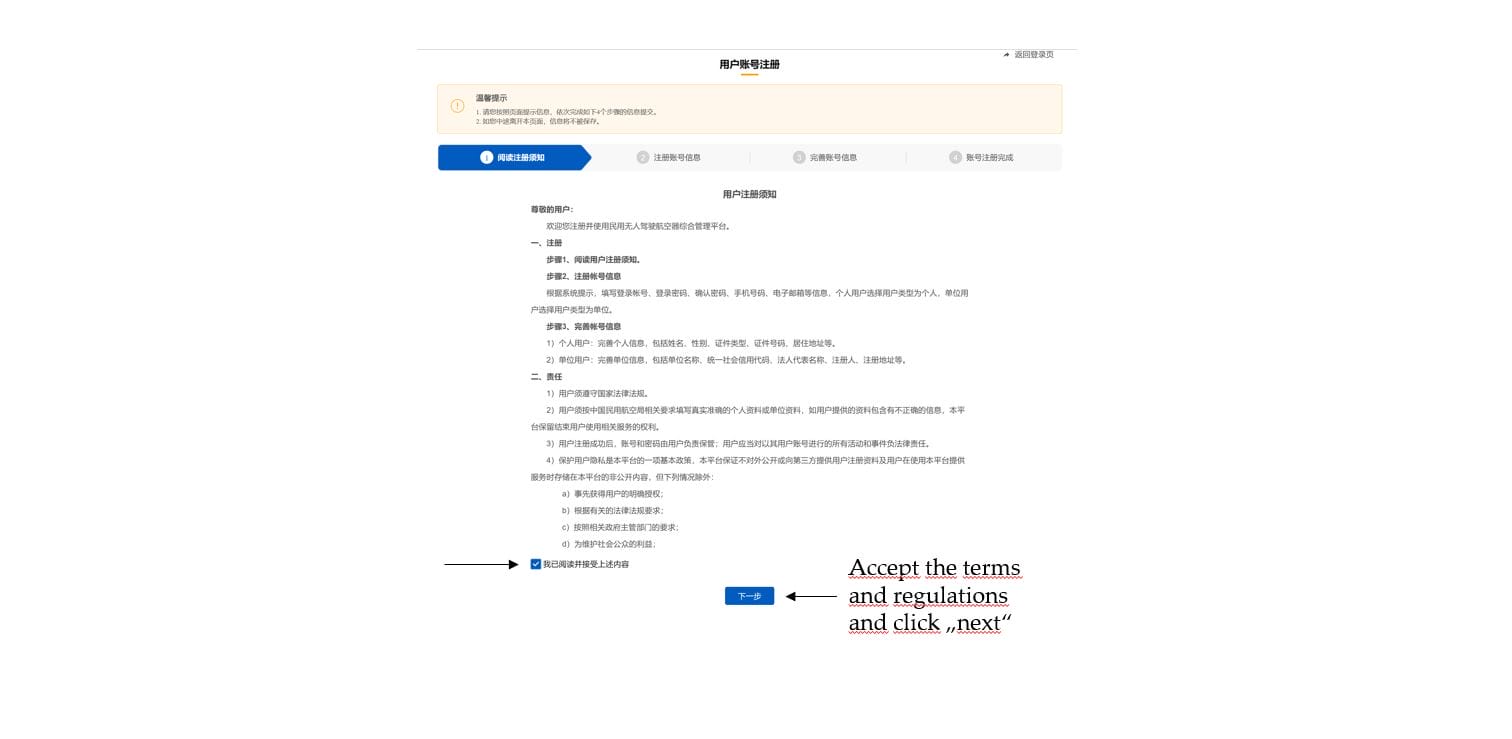
First step in registering an account on the CAAC platform: You must read and accept the Terms of Use before clicking “Next.”
Step 2 of account registration: Input form for user type, username, password, Chinese cell phone number, SMS code, email address, and CAPTCHA.
Detailed view of the ID type selection during account registration: "Passport" (护照) is selected from the drop-down menu.
Step 3 of account registration: Complete your personal information by entering your name, gender, ID type (passport), passport number, and region of residence, and upload your passport photos.

After all mandatory information has been provided and the required photos of the ID document have been uploaded, the registration of the user account can be completed. You can then log into the newly opened account.

Registration of a drone within the user account:

Login page for the CAAC UOM drone platform, featuring German notes on logging in with a username, logging in with a cell phone number, and the button for creating a new account.

There are two ways to log into the user account:
– Via the chosen username, password and a code sent via SMS to the Chinese cell phone number.
– Via the Chinese mobile phone number and a code sent via SMS.
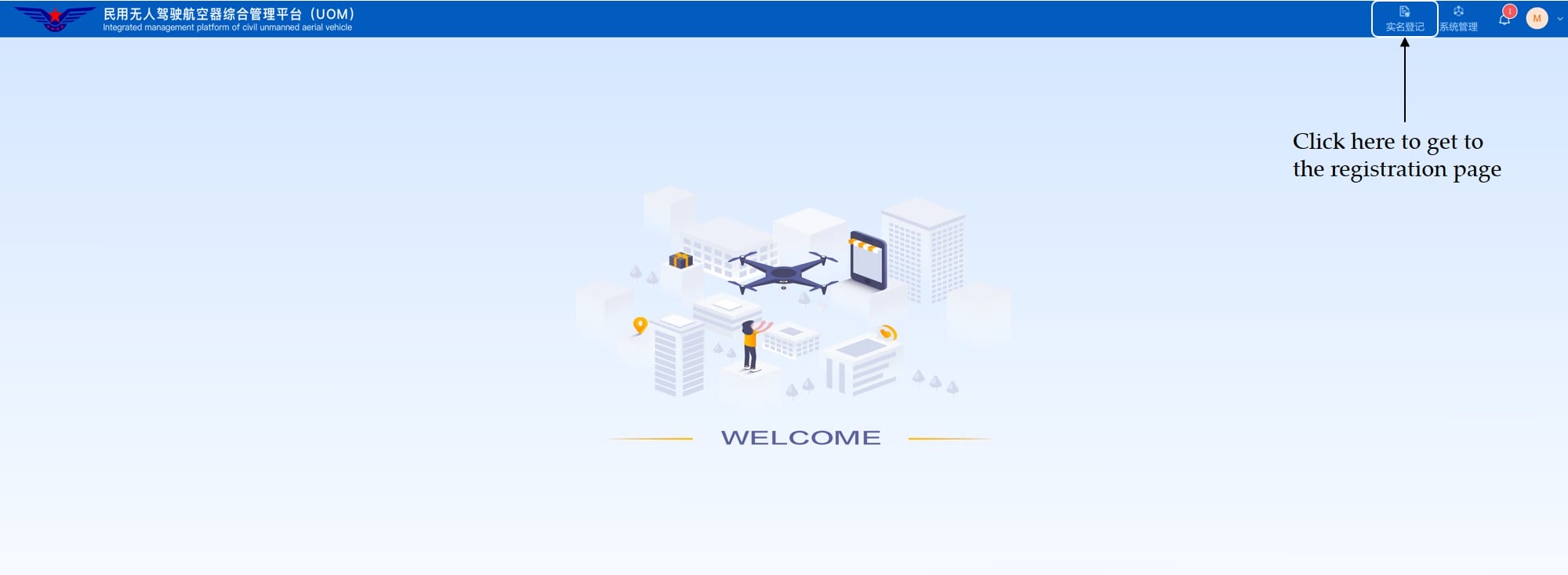
The CAAC platform's home screen after logging in, with instructions on how to register the drone under your real name.
Expanded side menu on the CAAC platform showing the options for real-name registration, account deactivation, and registration complaints.
A list of drones already registered on the CAAC platform, with information on where to register a new drone.
An automatically filled-out owner form with name, passport information, cell phone number, and email address prior to drone registration.
Input form for drone data, including manufacturer name, product model, weight, and checkboxes for intended use.
Selection window for the manufacturer, featuring a list of Chinese companies and their business registration numbers.
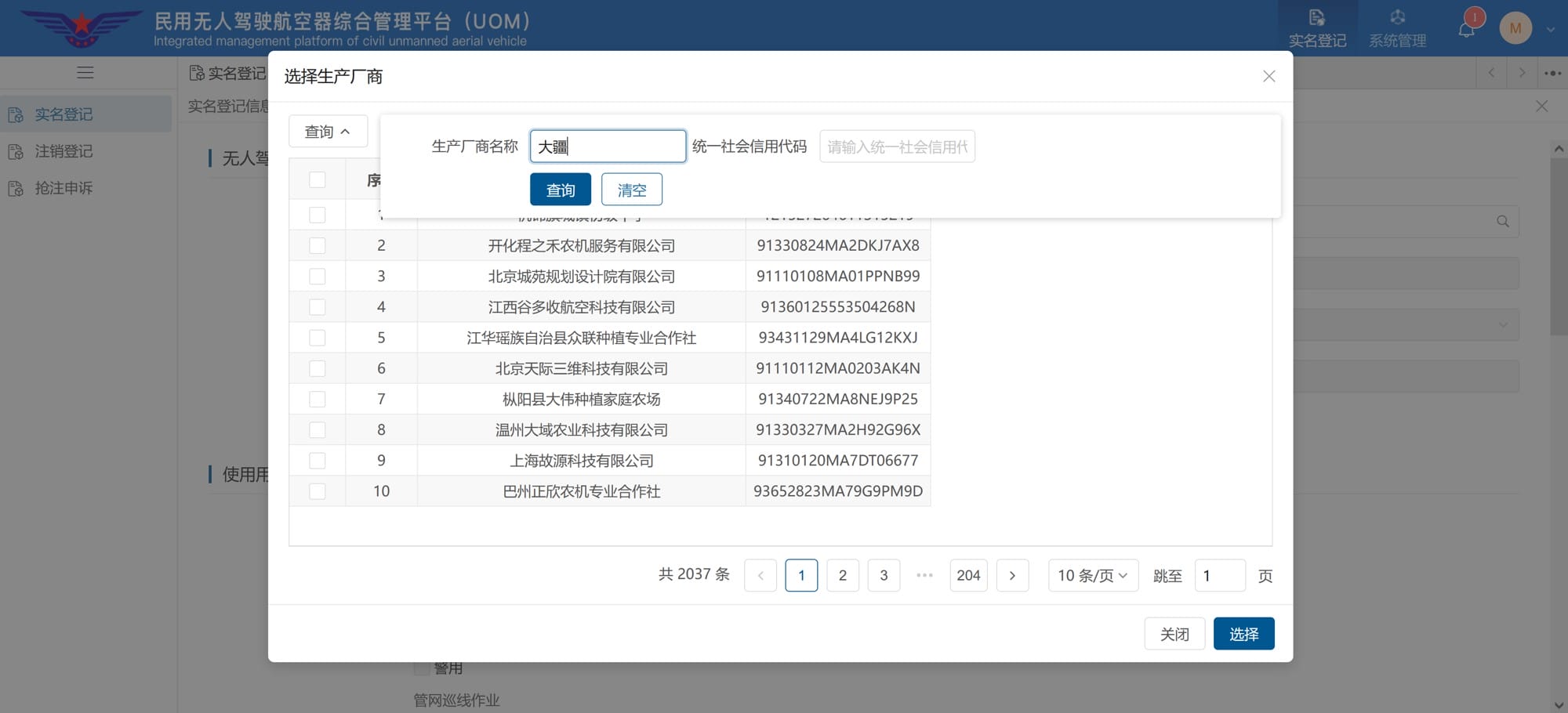
Manufacturer search using the search term “大疆” (DJI), with a note that this stands for DJI in this example.

Unfortunately, the manufacturer´s search only works with Chinese characters. It makes sense to either search on Google, Bing or Baidu for the brand in Chinese, copy the relevant characters and paste them into the manufacturer´s search.

The following characters can be used for DJI drones: 大疆

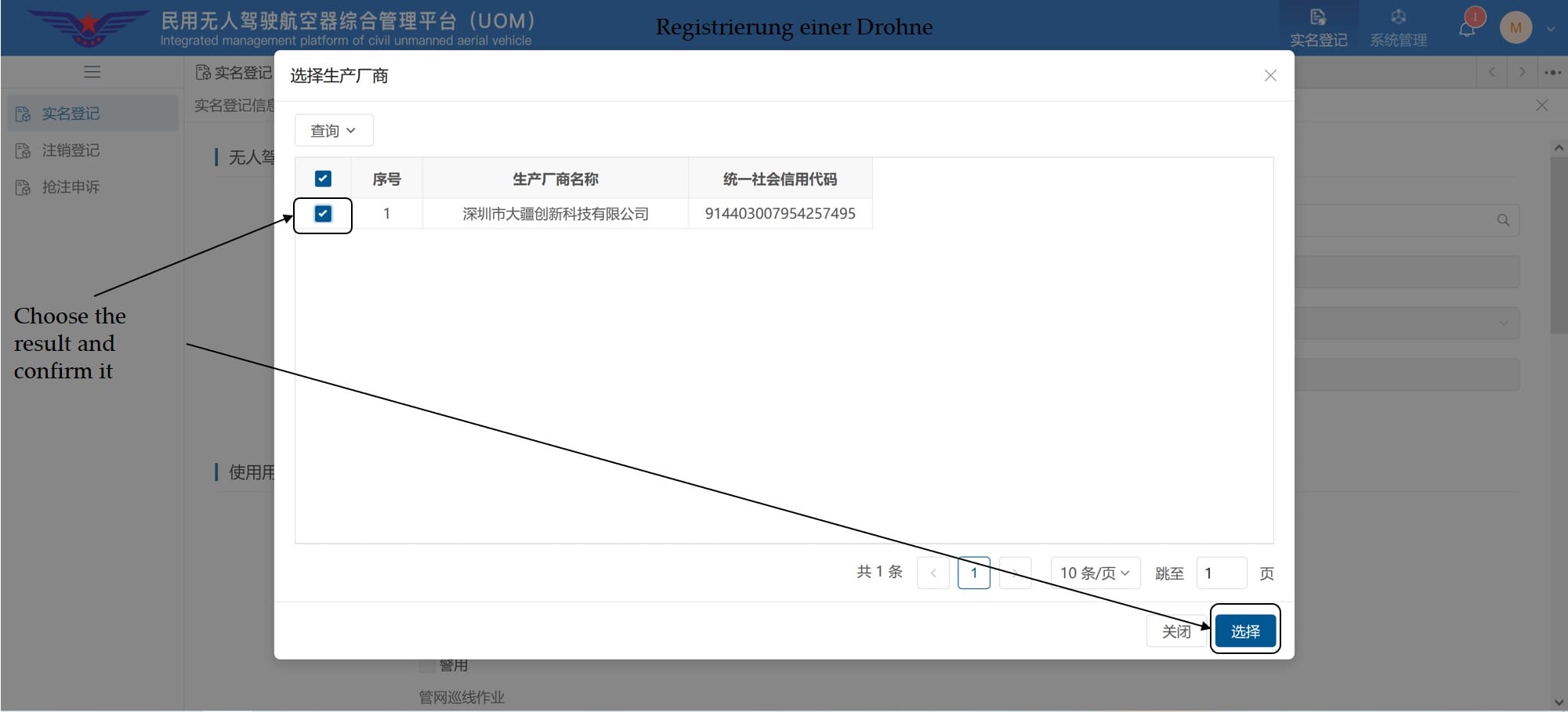
Search results for the manufacturer search with the selected entry “Shenzhen DJI Innovation Technology Co., Ltd.”
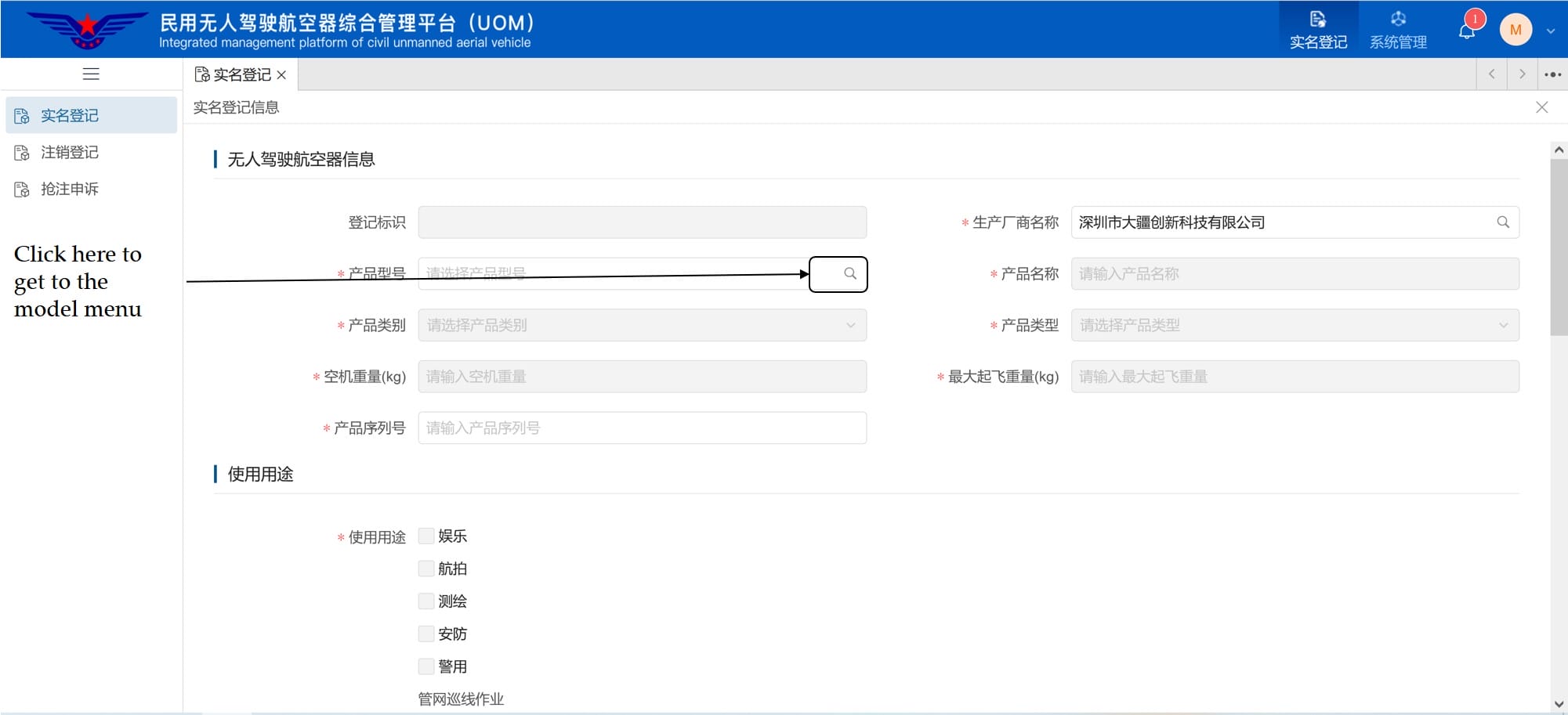
Drone data form with the manufacturer name "DJI" entered and a note regarding the subsequent model selection.
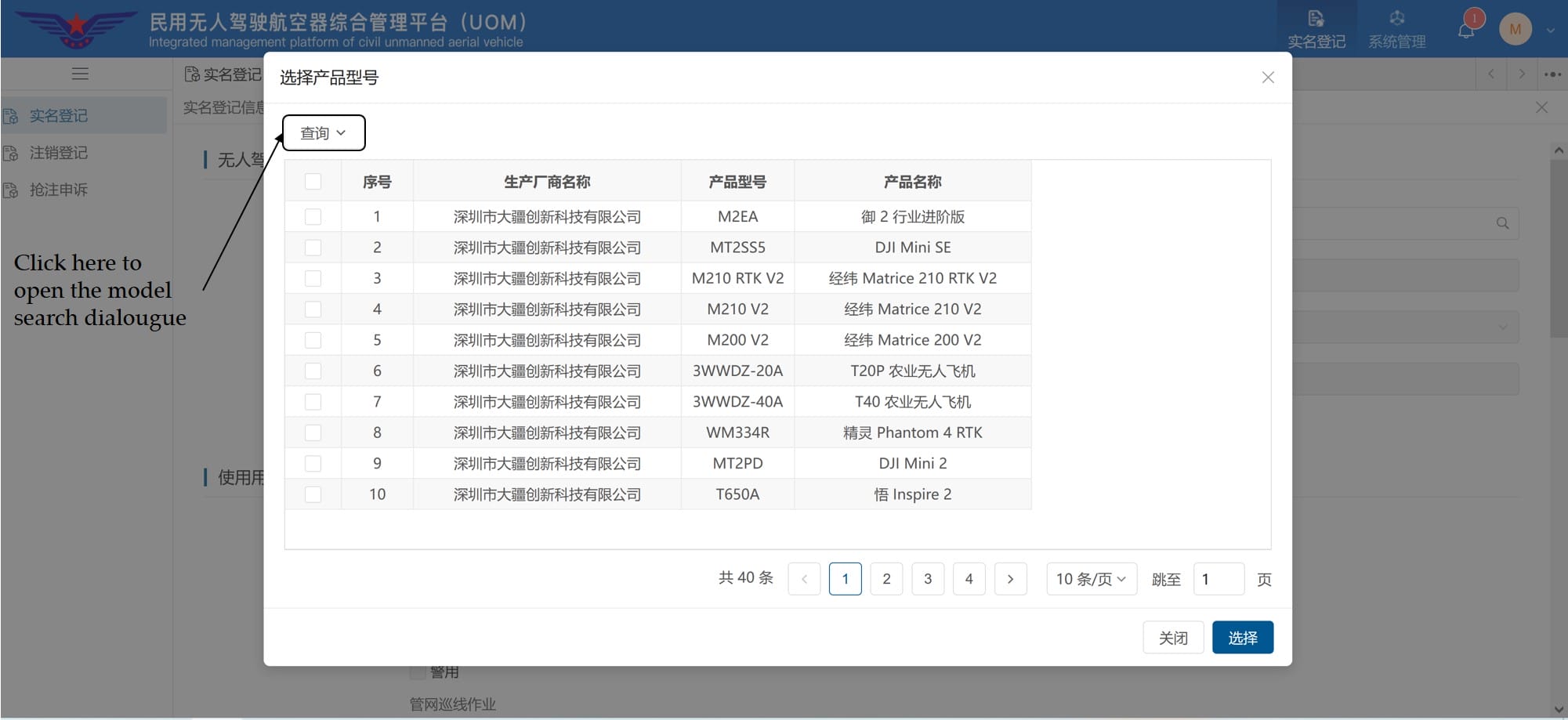
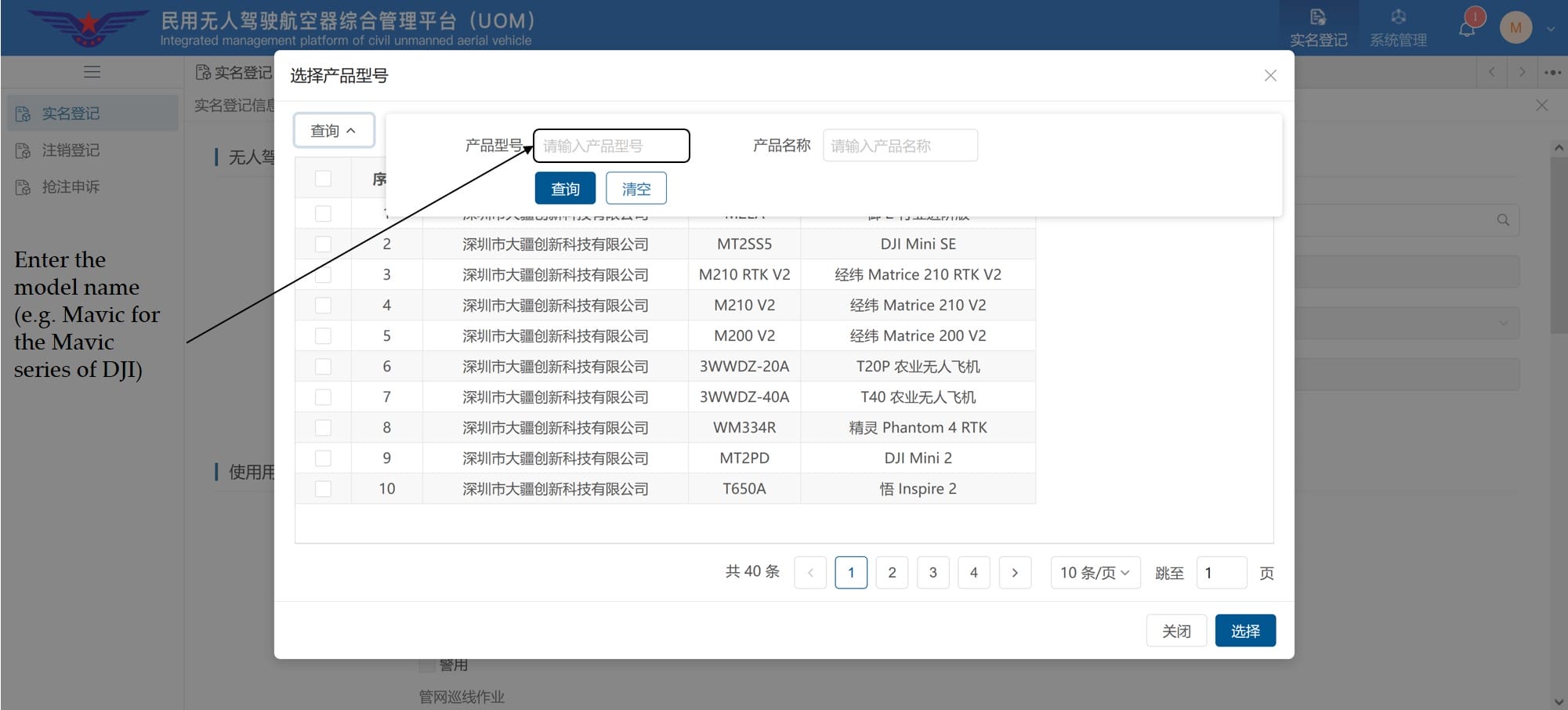
A selection window for the drone model, featuring a list of various DJI products.
Model search with input fields for product type and product name; instructions for entering the model name, such as "Mavic."
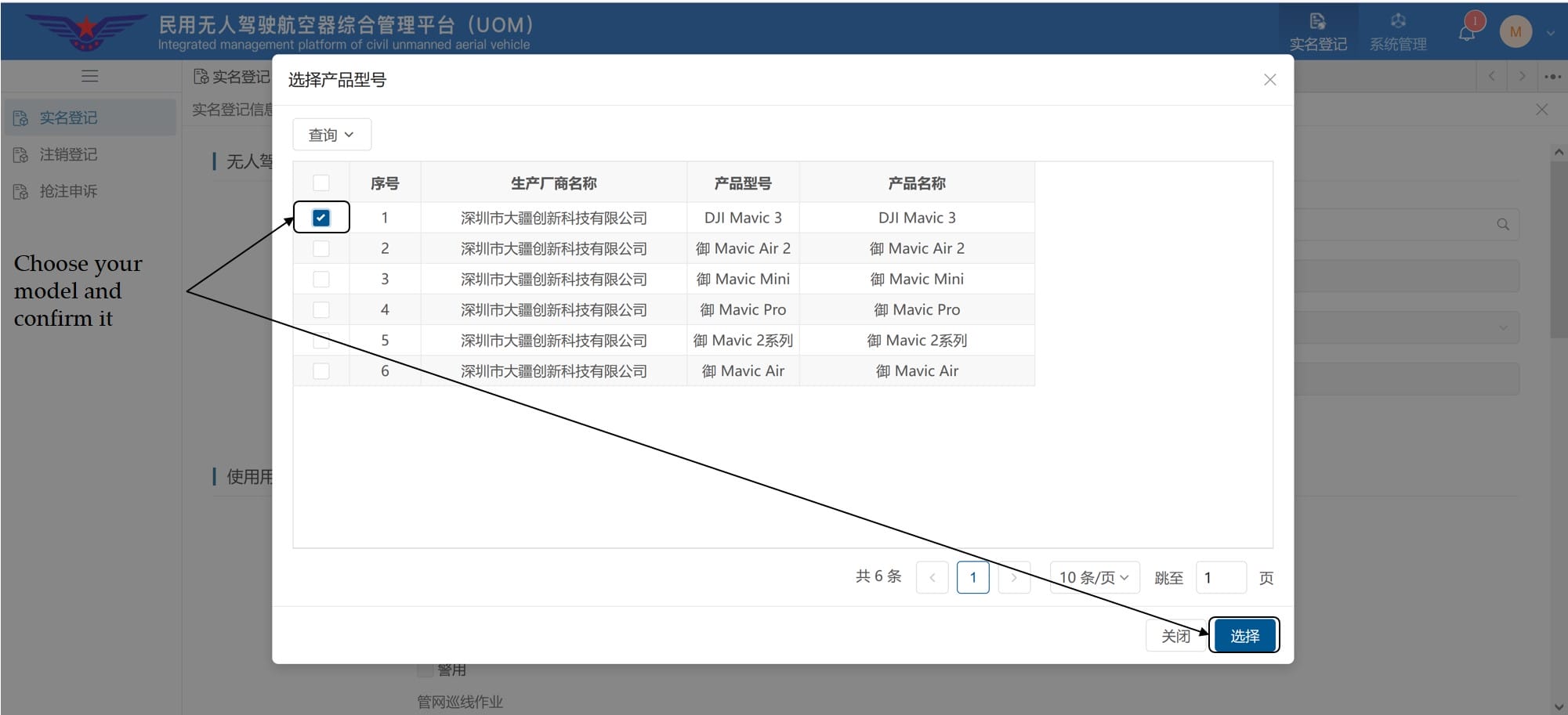
Model selection list for the DJI Mavic series, with "DJI Mavic 3" selected.
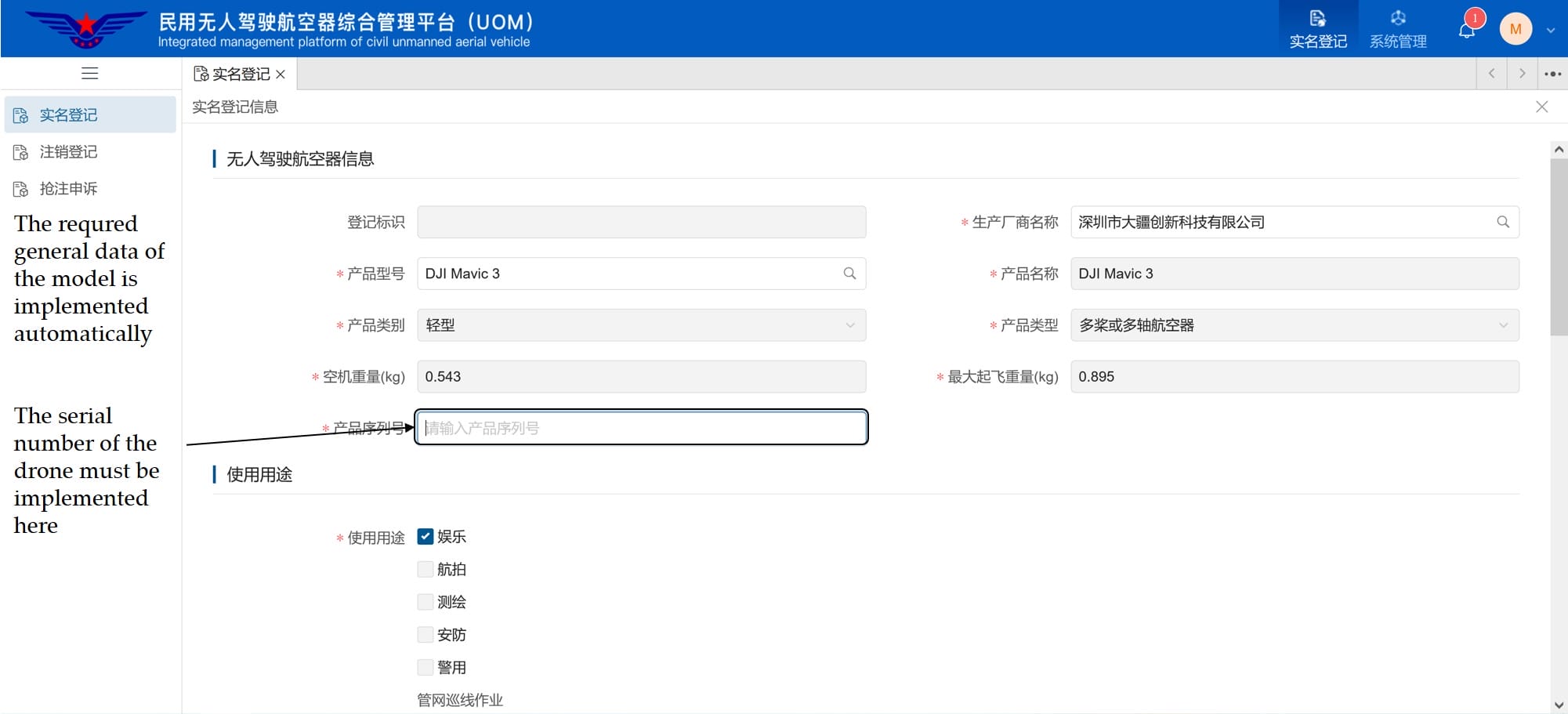
An automatically filled-out form with the DJI Mavic 3 specifications (weight, category) and a note indicating where to enter the serial number.

In the following step, each a picture of the drone as well as of the serial number are required. These must be uploaded in .jpg, .jpeg or .gif format.
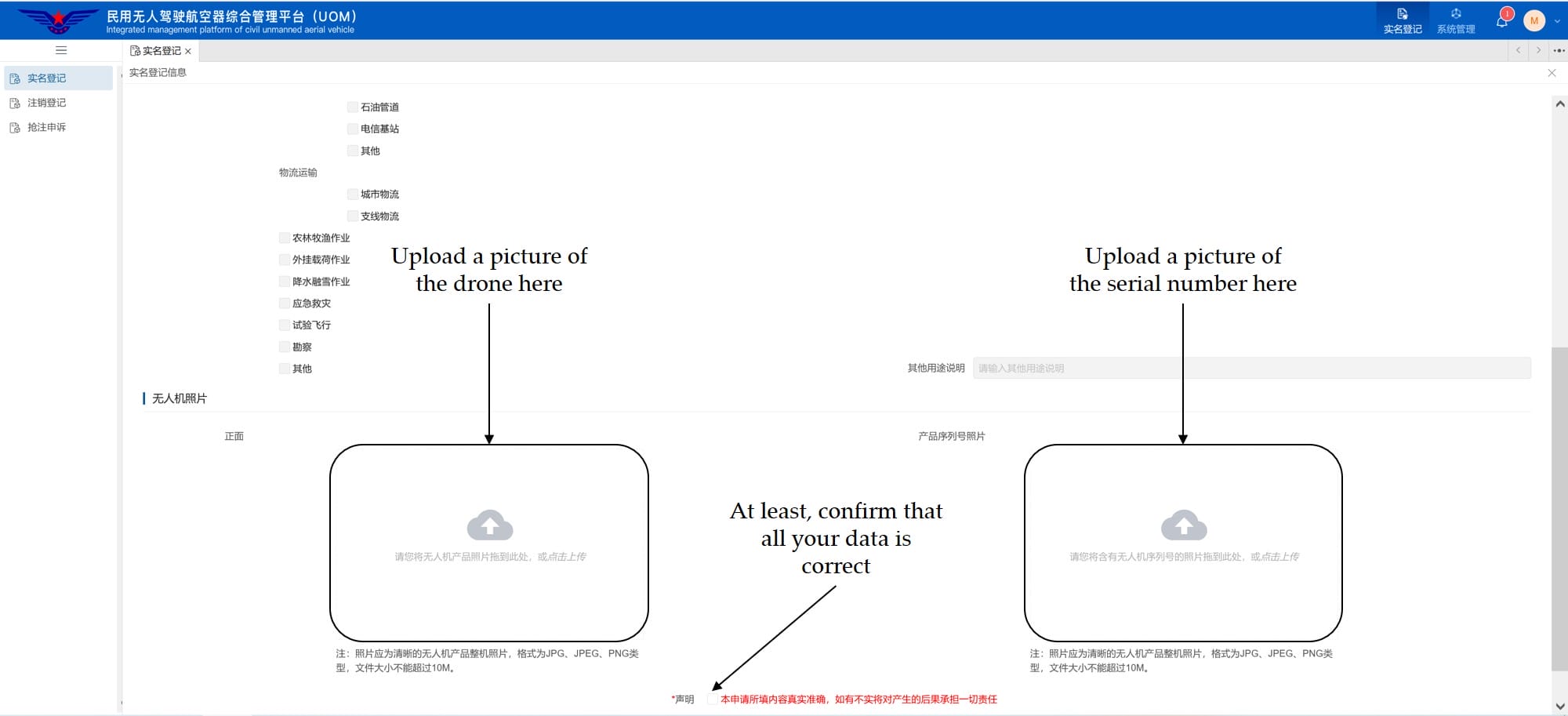
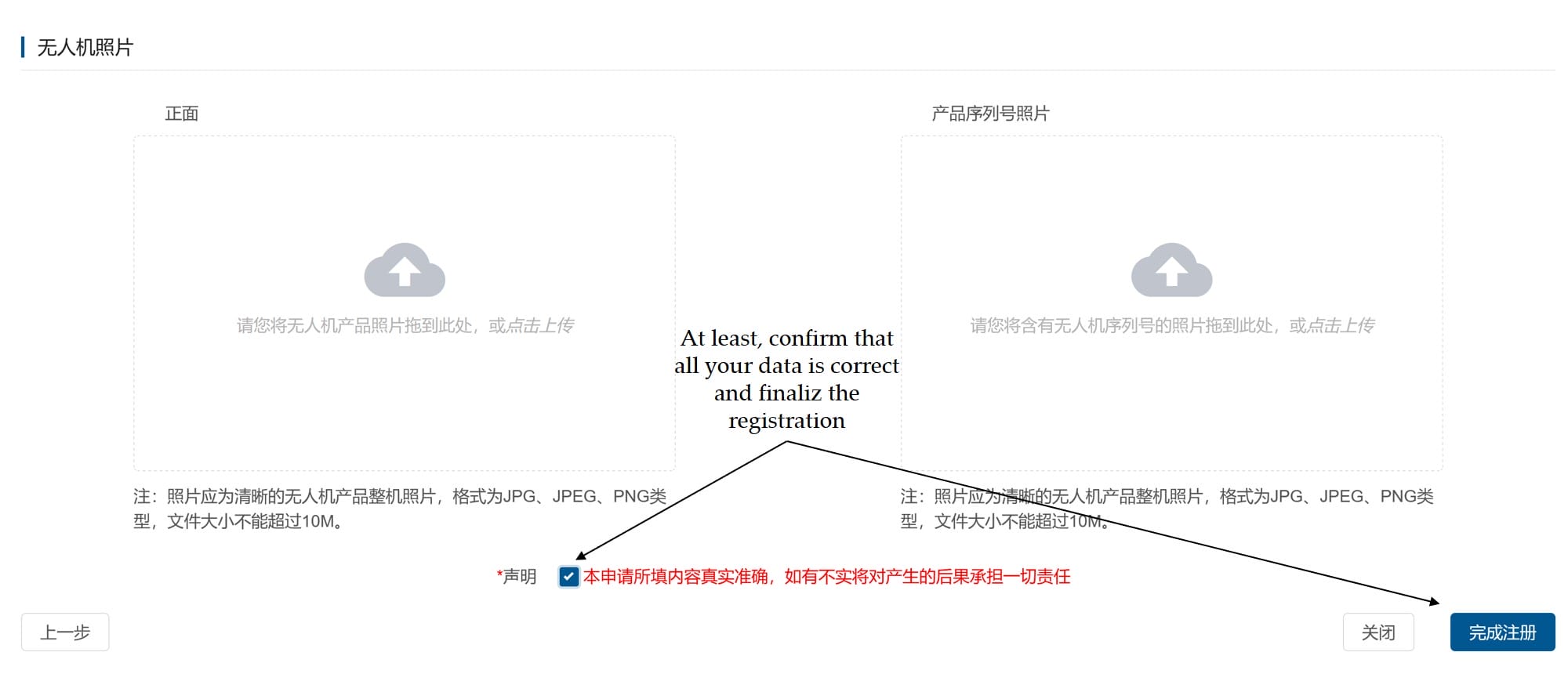
Upload section for photos of the drone and the serial number, as well as final confirmation that the information is correct.
Completing drone registration: Confirm the information is correct and click the “完成注册” (Complete Registration) button.

The registration of the drone is now complete and the newly created aircraft is displayed in the overview list.
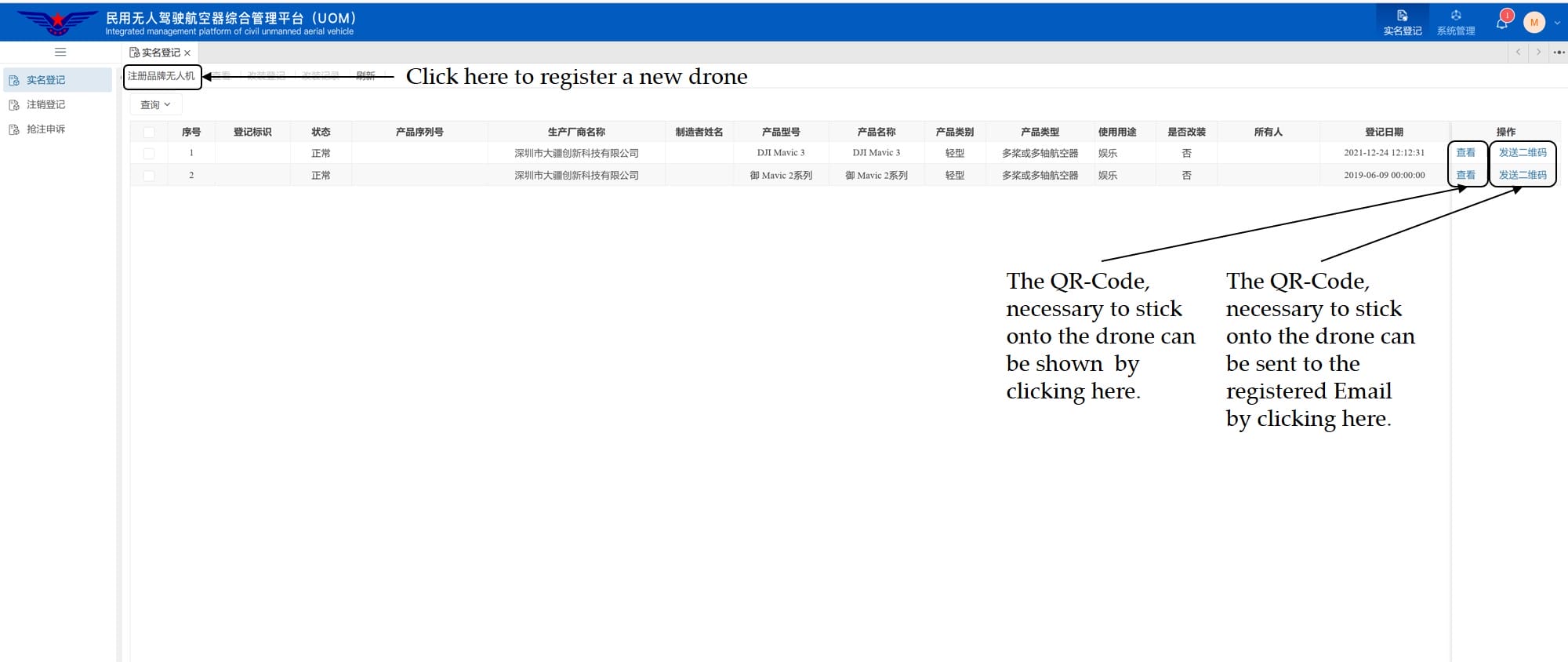
A list of registered drones, including instructions on how to display the QR code or have it sent via email.

The now available QR code for the drone can be sent directly to the email, used for registration. This must be printed out and visibly attached to the aircraft.

Anyone who would like to know more about drone laws in China and other countries around the world, or simply about flying drones in general, should visit the site Drone-Camp.de and have a closer look.

This report is part of my series China travel reports – there you will find an overview of all regions.

You may also be interested in the following articles:

No Results Found

The page you requested could not be found. Try refining your search, or use the navigation above to locate the post.

0 Comments

Submit a Comment

Your email address will not be published. Required fields are marked *

This site uses Akismet to reduce spam. Learn how your comment data is processed.